Hyperliquid Mobile Trading: How to Trade on Your Phone (2026 Guide)
Table of Contents
 Hyperliquid
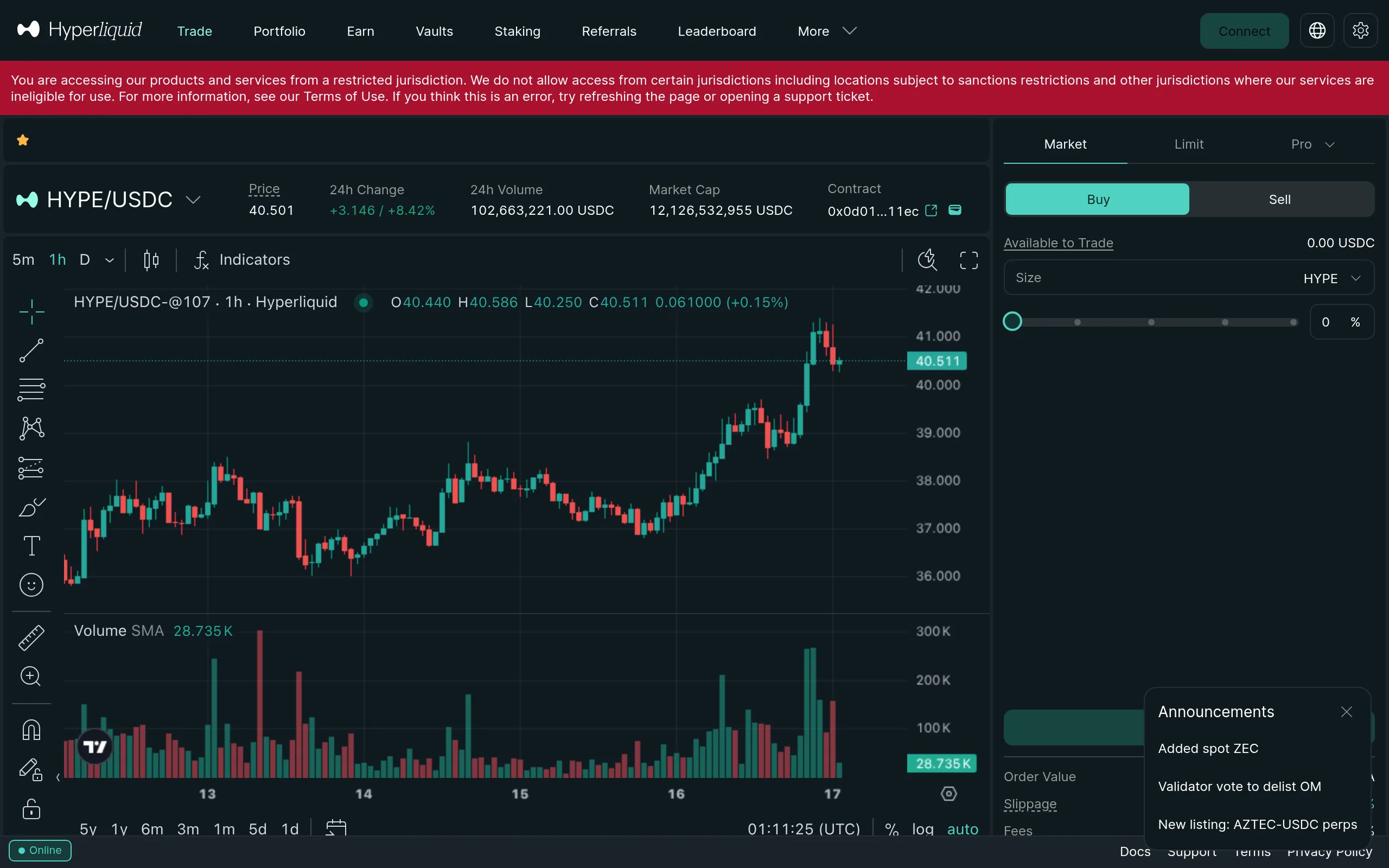
Hyperliquid on Mobile: Native App + PWA
Android users can now download the official Hyperliquid app from Google Play — the full trading interface with native push notifications for trade fills. iPhone users and anyone who prefers the browser can use the progressive web app (PWA) at app.hyperliquid.xyz, which works in any mobile browser with the same features available on desktop. For a quick overview of the official Hyperliquid mobile app status on iOS versus Android, see our dedicated explainer.
Either way, you get the full order book, all order types, portfolio management, and real-time charts directly from your phone. You can add the PWA to your home screen so it looks and behaves like a native app.
How to Set Up Hyperliquid on Your Phone
Open Hyperliquid in your mobile browser
Navigate to app.hyperliquid.xyz in Safari (iOS) or Chrome (Android). Bookmark it for quick access.
Connect a mobile wallet
Tap Connect and select your wallet. MetaMask Mobile, Phantom, and Trust Wallet all work natively. You can also scan a WalletConnect QR code from your desktop wallet.
Deposit USDC
If you have not funded your account yet, tap Deposit to bridge USDC from Arbitrum. See the full deposit guide for details.
Start trading
Select a market, set your order type, and place your trade. The mobile interface supports everything the desktop version does. For a full walkthrough, see how to trade on Hyperliquid.
Start Mobile Trading
Get a 4% lifetime fee discount when you sign up through our referral link.
Join HyperliquidBest Mobile Wallets for Hyperliquid
Any EVM-compatible mobile wallet works with Hyperliquid. Here are the most popular options:
 MetaMask Mobile - The most widely used option. Available on iOS and Android with a built-in dApp browser that connects directly to Hyperliquid.
 Rabby Mobile - Clean interface with built-in transaction simulation so you can see exactly what each transaction does before signing.
 Phantom - Originally a Solana wallet, Phantom now supports EVM chains and works well with Hyperliquid on mobile.
 Trust Wallet - Binance-backed wallet with a built-in dApp browser. Straightforward setup for new users.
 Coinbase Wallet - Separate from the Coinbase exchange app. Offers easy onboarding if you already have a Coinbase account.
Tip
Add Hyperliquid to Your Home Screen
Adding Hyperliquid to your home screen removes the browser address bar and gives you an app-like experience with a single tap to open.
On iPhone (Safari):
- Open app.hyperliquid.xyz in Safari
- Tap the Share button (square with an arrow) at the bottom of the screen
- Scroll down and tap Add to Home Screen
- Name it "Hyperliquid" and tap Add
On Android (Chrome):
- Open app.hyperliquid.xyz in Chrome
- Tap the three-dot menu in the top-right corner
- Tap Add to Home screen
- Confirm and tap Add
The PWA shortcut launches in its own window without browser controls, making it feel like a native app.
Info
On Android? Skip the PWA and download the official Hyperliquid app from Google Play. You get the same full trading interface plus native push notifications when your trades fill — no need to keep a browser tab open.
Tips for Mobile Trading
- Use limit orders over market orders. On a smaller screen it is easier to fat-finger a market order at a bad price. Limit orders give you price protection.
- Enable biometric lock on your wallet. Both MetaMask and Phantom support Face ID and fingerprint authentication. This adds a layer of security if your phone is lost or stolen.
- Avoid public Wi-Fi. When trading on mobile, use your cellular data or a VPN. Public networks carry risks for any financial activity. See our crypto security guide for more.
- Bookmark key pages. Save the trade, portfolio, and deposit pages as separate bookmarks for faster navigation.
Warning
Trade Anywhere
Access Hyperliquid's full trading platform from your phone with a 4% fee discount.
Get StartedFrequently Asked Questions
Hyperliquid now has an official Android app on Google Play with the full trading interface and native push notifications for fills. There is no iOS app yet. For all devices, Hyperliquid also offers a fully responsive progressive web app (PWA) at app.hyperliquid.xyz that works in any mobile browser. You can add it to your home screen for an app-like experience.
Open app.hyperliquid.xyz in your mobile browser (Safari on iOS, Chrome on Android), connect a mobile wallet like MetaMask Mobile, Rabby Mobile, or Phantom, and you can trade immediately. The interface adapts to mobile screens with all features available.
Yes. On iOS Safari, tap the share button and select 'Add to Home Screen.' On Android Chrome, tap the three-dot menu and select 'Add to Home screen.' This creates an app-like shortcut that opens Hyperliquid without the browser address bar.
Any EVM-compatible mobile wallet works. Popular options include MetaMask Mobile, Rabby Mobile, Coinbase Wallet, Phantom, Trust Wallet, and OKX Wallet. You can also use WalletConnect to connect desktop browser extensions from your phone.
Disclaimer: This content is for informational purposes only and does not constitute financial advice. Trading perpetual futures involves substantial risk of loss. Past performance is not indicative of future results. Always do your own research before trading. This site contains referral links - see our disclosure for details.
Ready to Start Trading?
Join Hyperliquid with our referral link and get a 4% lifetime fee discount. No KYC, no email - just connect your wallet and trade.
Start Trading - Save 4%